Skip to content
SigmaFit
SigmaFit

Gym management software

Run your whole gym from one place.

Members, payments, check-in, classes and reports, on the web and on your phone. In English and Arabic.

Free plan, no time limit From $45 a month per branch Cloud or on your own computer

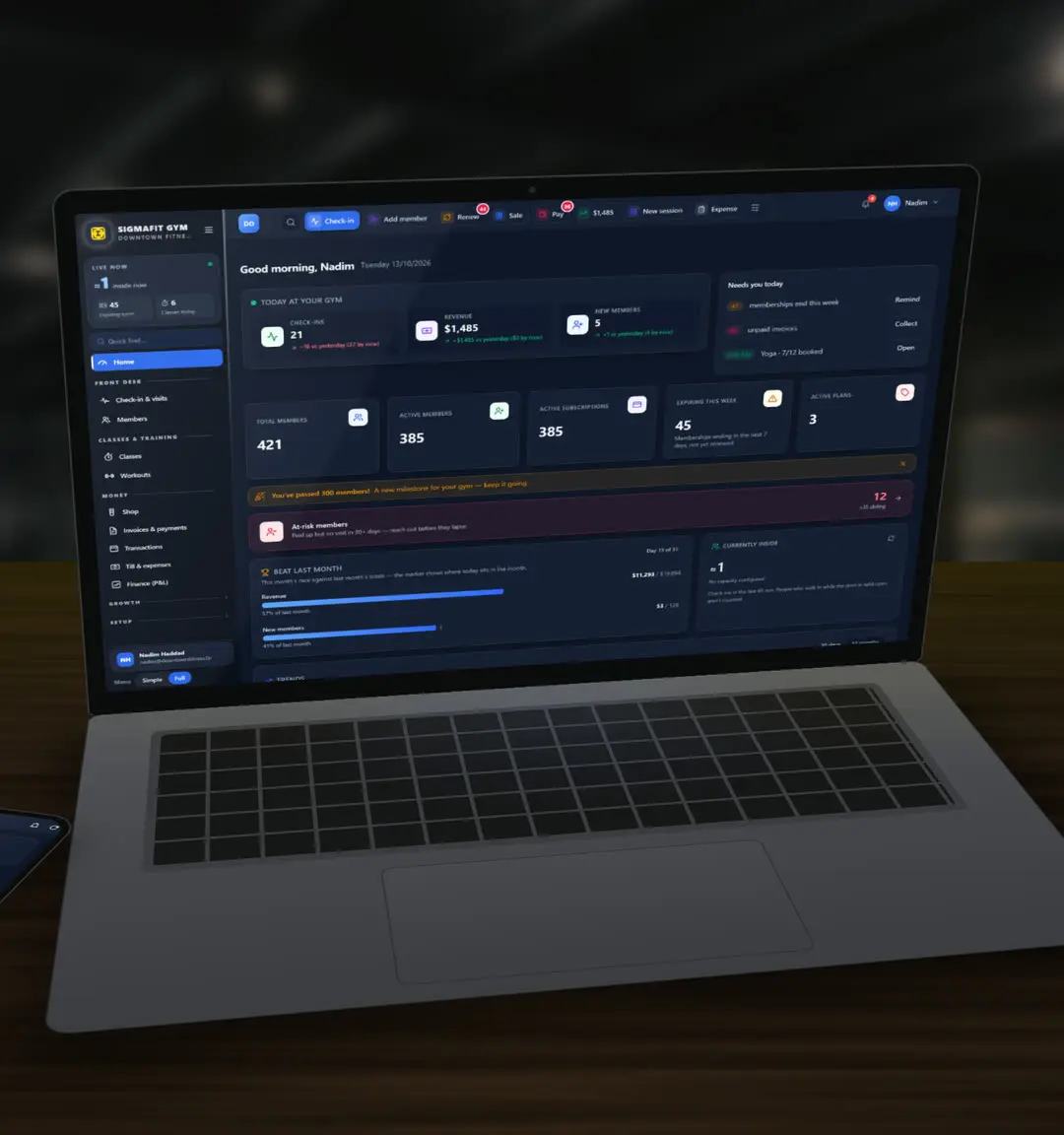
SigmaFit Gym dashboard on a laptop at a gym's front desk Watch the 90-second tour

Screens from a demo gym

Built for gyms in Lebanon

  • Cash and installments
  • Prices in USD
  • WhatsApp reminders
  • English and Arabic

A day at your gym

From the first check-in to closing time.

Six moments from a normal day, and what SigmaFit does in each one.

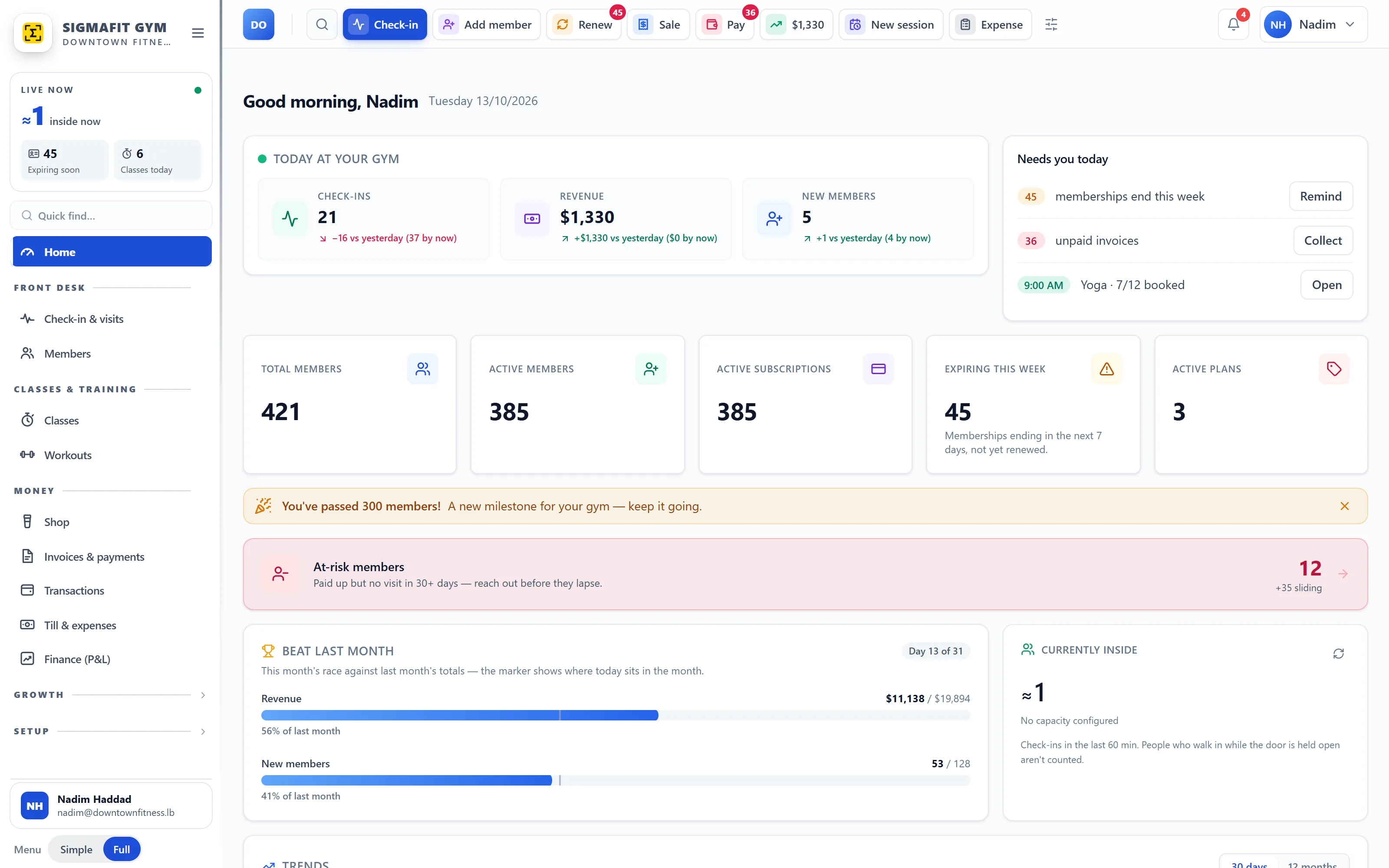
  1. 01 Morning

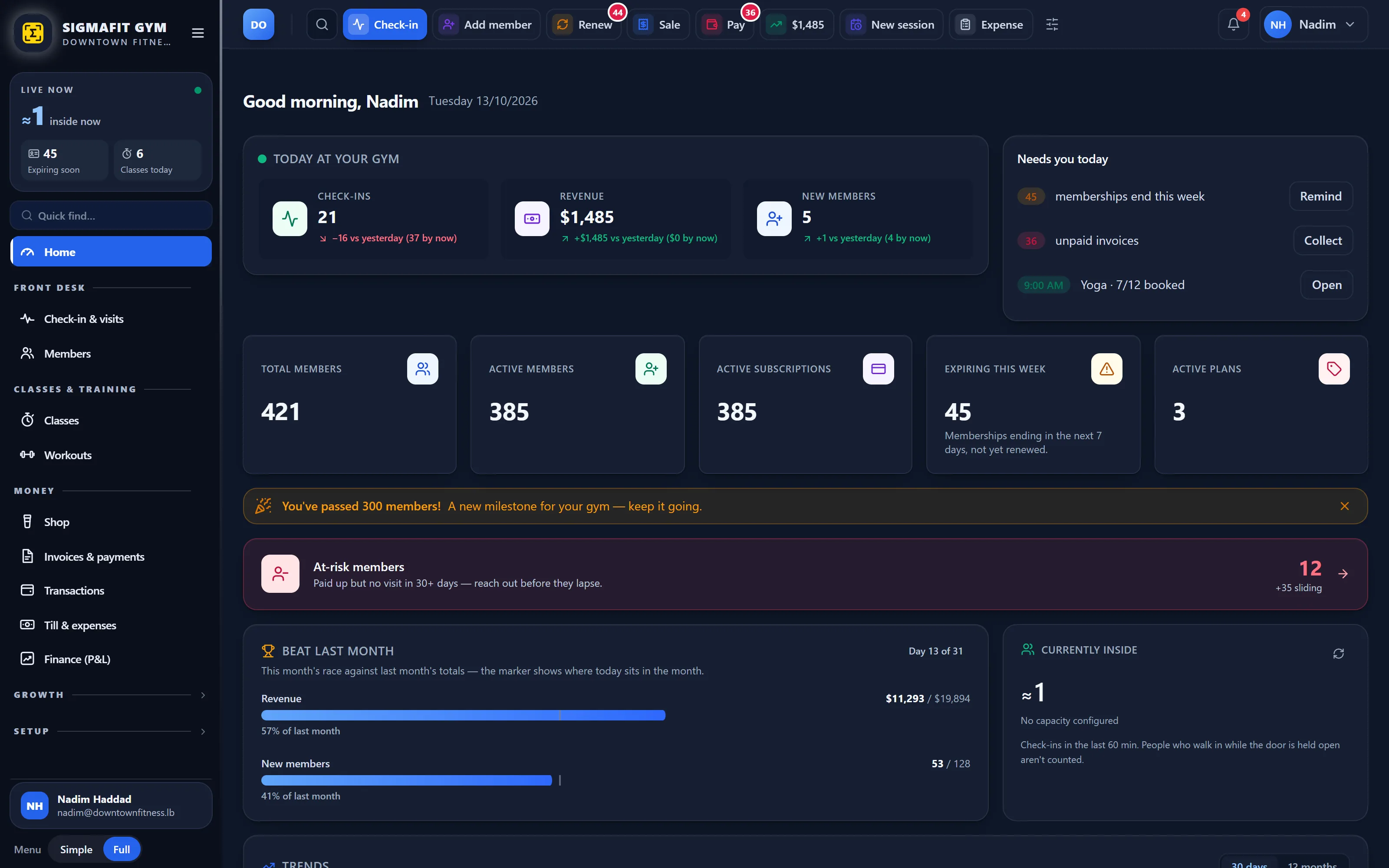
    Today, the moment you log in.

    Check-ins, revenue and new members against yesterday. Then what needs you: plans ending this week, unpaid invoices, and members who stopped coming.

  2. 02 Front desk

    Type a name or scan a card. They’re in.

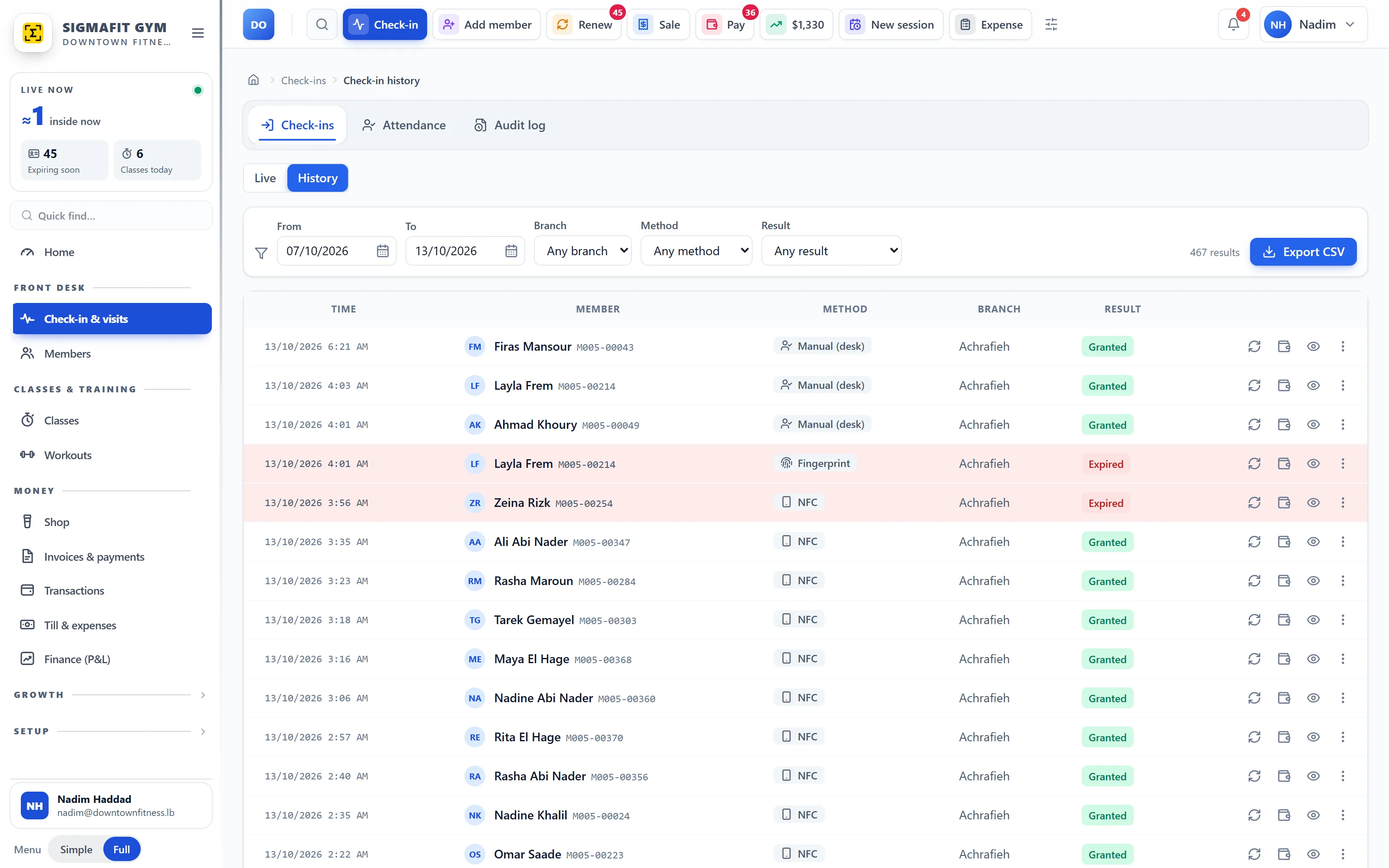
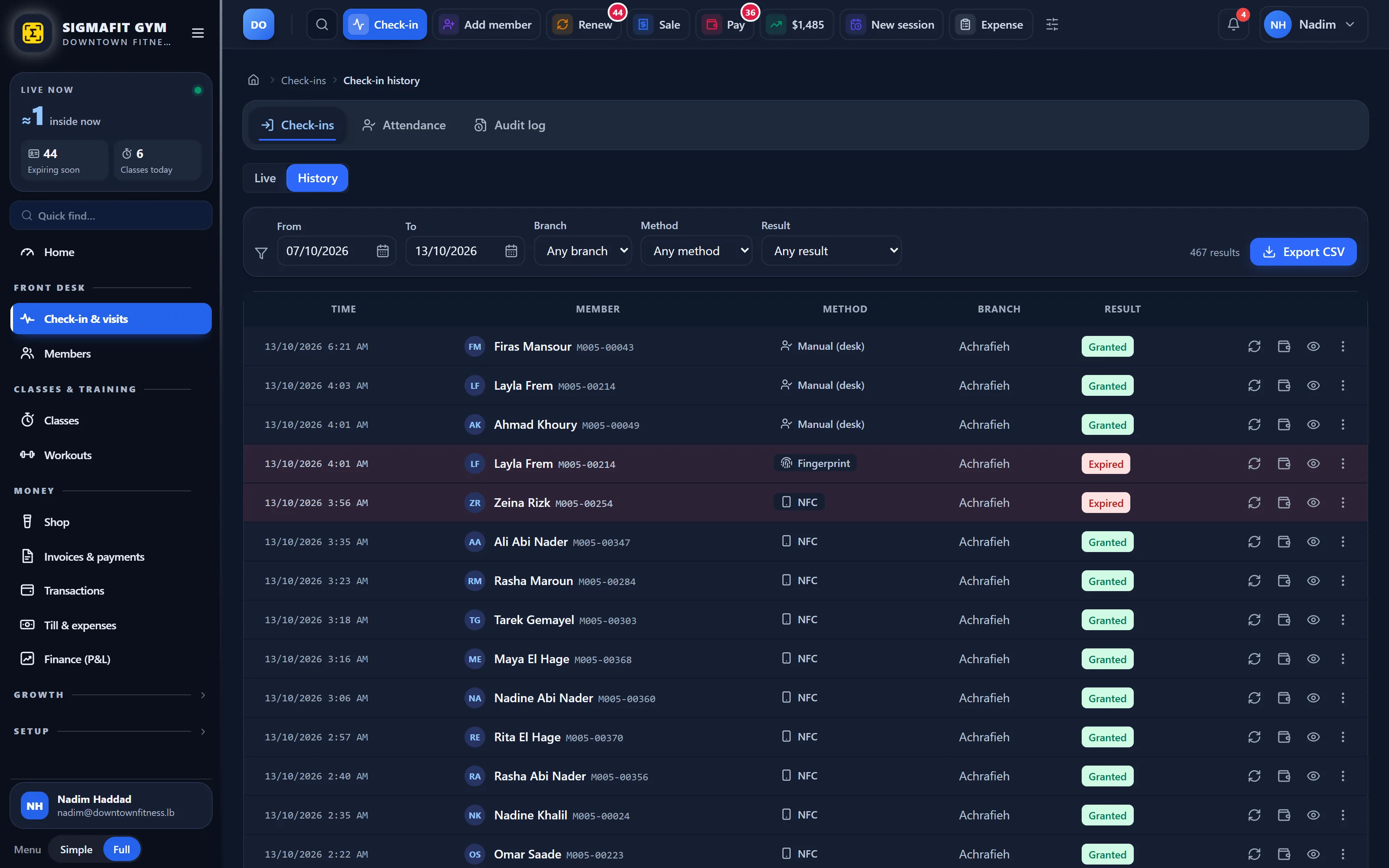
    One search box for name, member code, phone or card. Press Enter to check them in, by name, QR code or NFC member card.

  3. 03 At the door

    Plan ended? Stopped, with the reason, then renewed on the spot.

    SigmaFit stops an ended plan and shows why. Renew right there, take the payment, and they walk in.

  4. 04 Payments

    Split a plan into installments, each with its own due date.

    Cash or card, part now and the rest later. Every payment can email a PDF receipt with your logo.

  5. 05 Closing

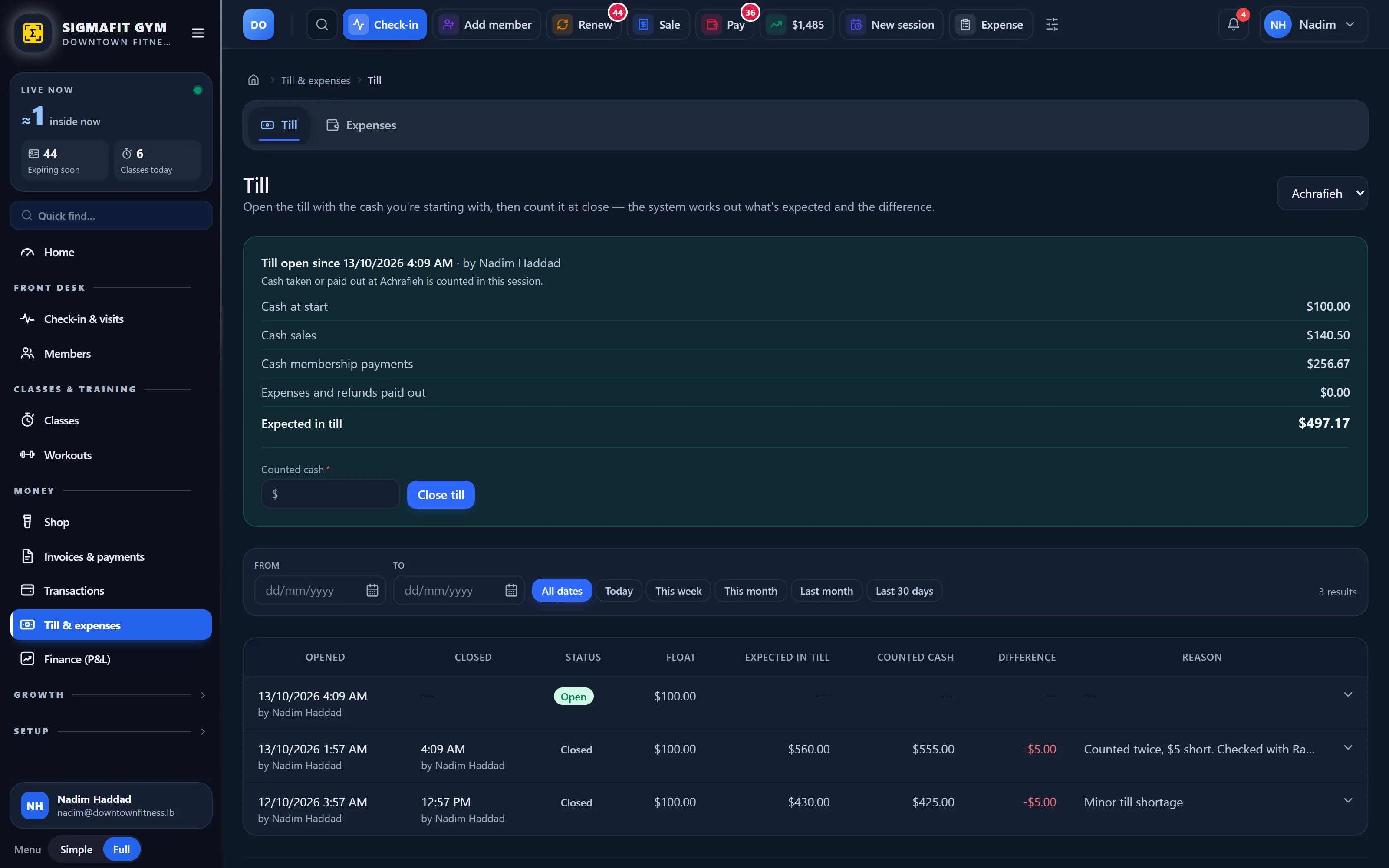
    The cash drawer knows what should be in it.

    Open with a float. Cash sales, payments and expenses are added up for you. Count at closing; a short drawer needs a reason.

  6. 06 Night

    Know your numbers: revenue, retention, profit and loss.

    Busiest days and hours, who owes what, every branch side by side. Download any report as PDF or Excel.

Everything in one place

One system instead of five.

Start with what’s included, and add what your gym needs.

  • Front desk and check-in Search or scan, press Enter, they’re in. Name, QR code or NFC card. Included
  • Members and memberships Profiles, plans, renewals, freezes, and members at risk. Included
  • Payments and installments Cash or card, partial payments, installments, PDF receipts. Included
  • Cash drawer and expenses What should be in the till, counted at closing. Expenses by category. Included
  • Reports and accounting Revenue, profit and loss, retention, attendance. PDF or Excel. Included
  • Messages Automatic SMS reminders and email receipts. WhatsApp and campaigns as add-ons. Included + add-ons
  • Door readers and kiosk Fingerprint, face, NFC and QR readers at the door. A self check-in tablet. Add-on
  • Classes and bookings Weekly timetable, bookings, waitlists and attendance. Add-on
  • Workout planner Exercise library, programs, and every set logged in the member app. Add-on
  • Shop (POS) Sell drinks, supplements and gear at the desk, with stock. Add-on
  • Staff, roles and branches Logins with roles, several branches, and a log of who did what. Included
  • See what’s included and what’s an add-on Pricing

Phone apps

One app for the owner, one for your members.

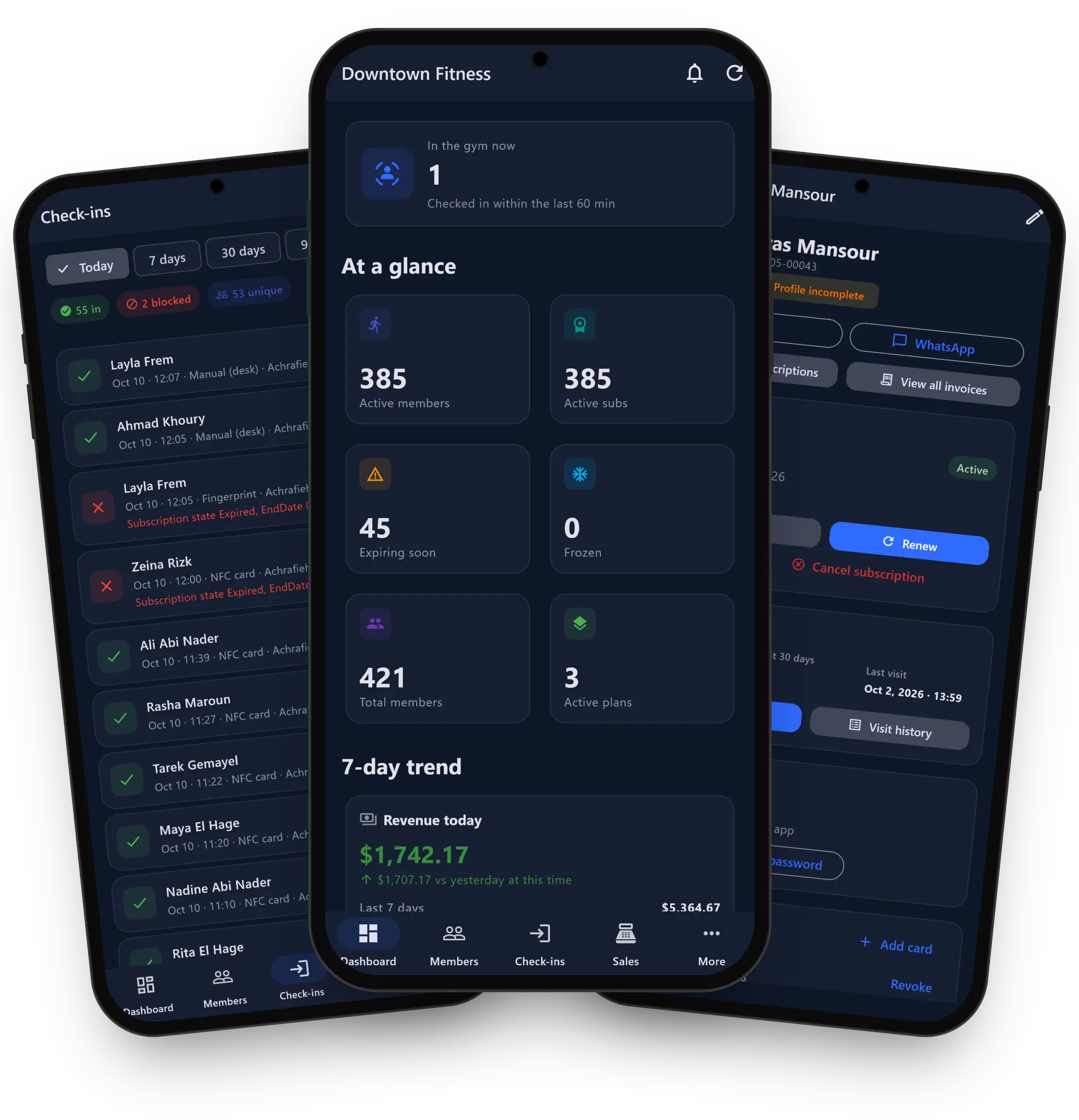
Owner app: today's check-ins, the dashboard and a member's card

The owner app

Add-on Cloud only

Your gym on your phone: who’s in now, revenue against yesterday, renewals due with one-tap renew, members at risk, the cash till and today’s classes. In English and Arabic.

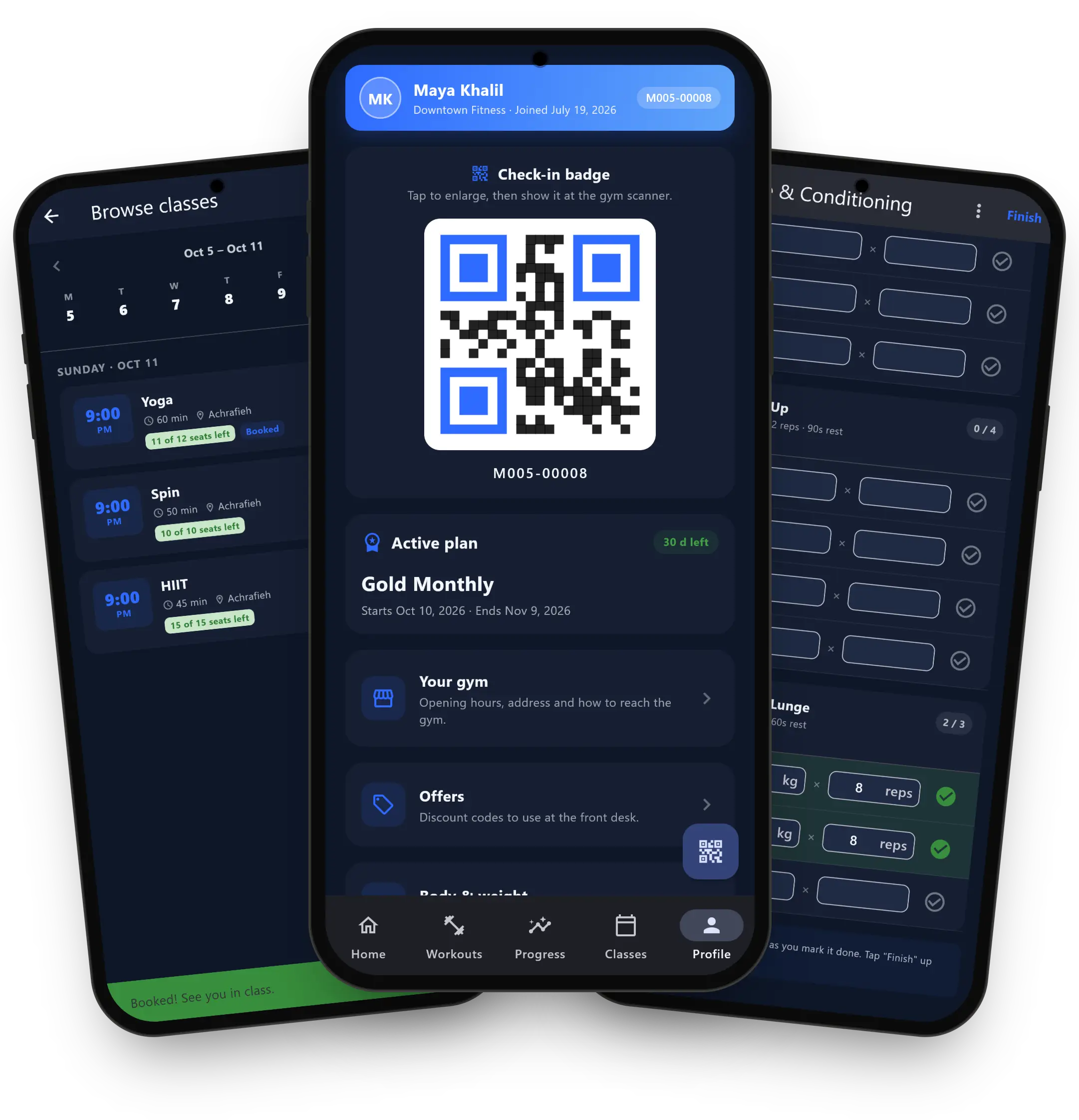
Member app: booking a class, the QR check-in badge and logging a workout

The member app

Add-on Cloud only

A QR badge for check-in, plan and days left, class booking, your workout program with set-by-set logging, and their progress.

Door readers and devices

Only members with a valid plan get in.

  • Fingerprint or face terminals at the door, and staff attendance by fingerprint.
  • NFC and QR readers. Every entry and refusal is logged with the reason.
  • A kiosk tablet for self check-in by QR, NFC card or PIN.
  • NFC member cards (cards sold separately).

Works with ZKTeco and CHIYU fingerprint and face terminals, and NFC and QR readers. Other devices and turnstiles: ask us.
Add-on

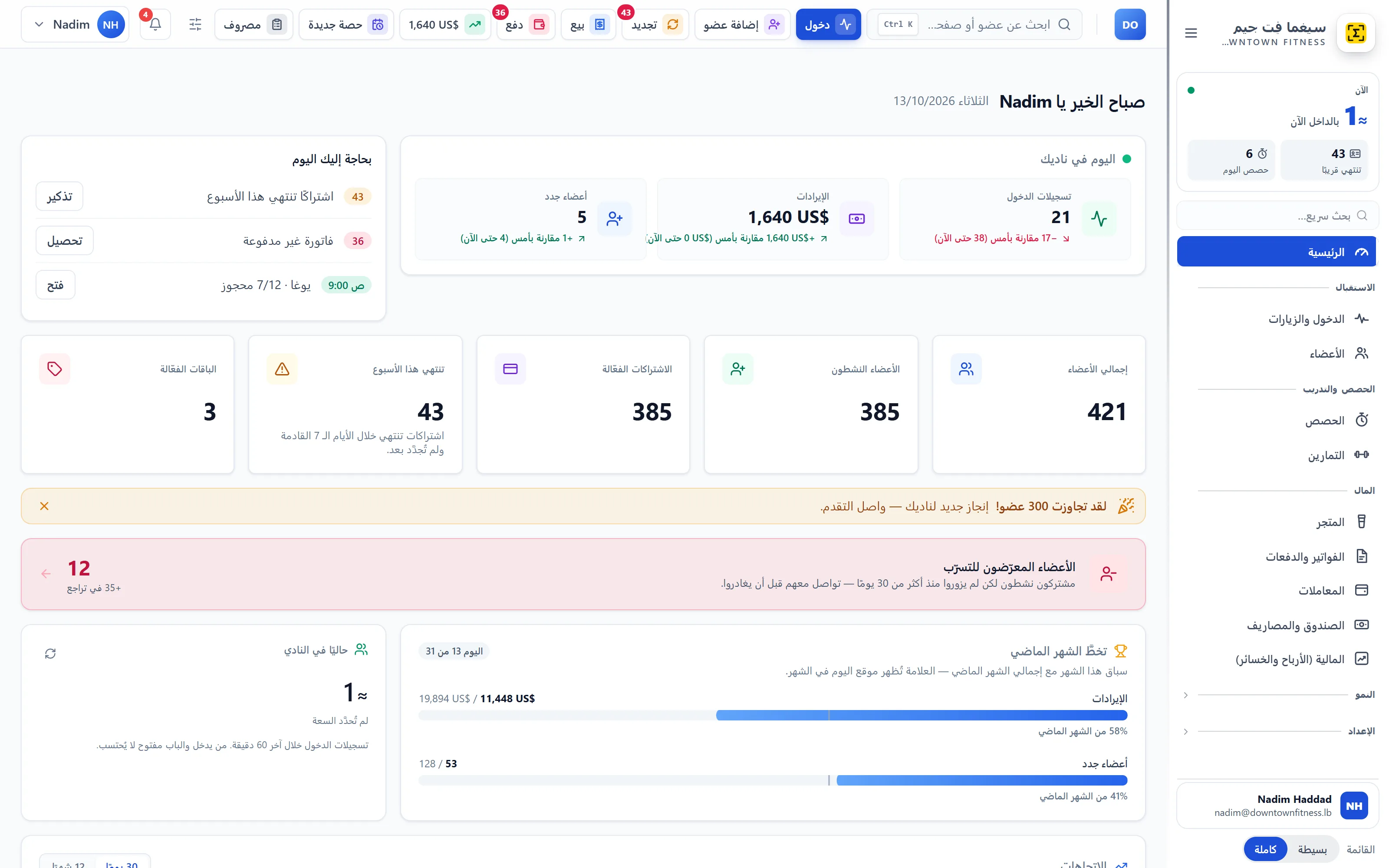
English and Arabic

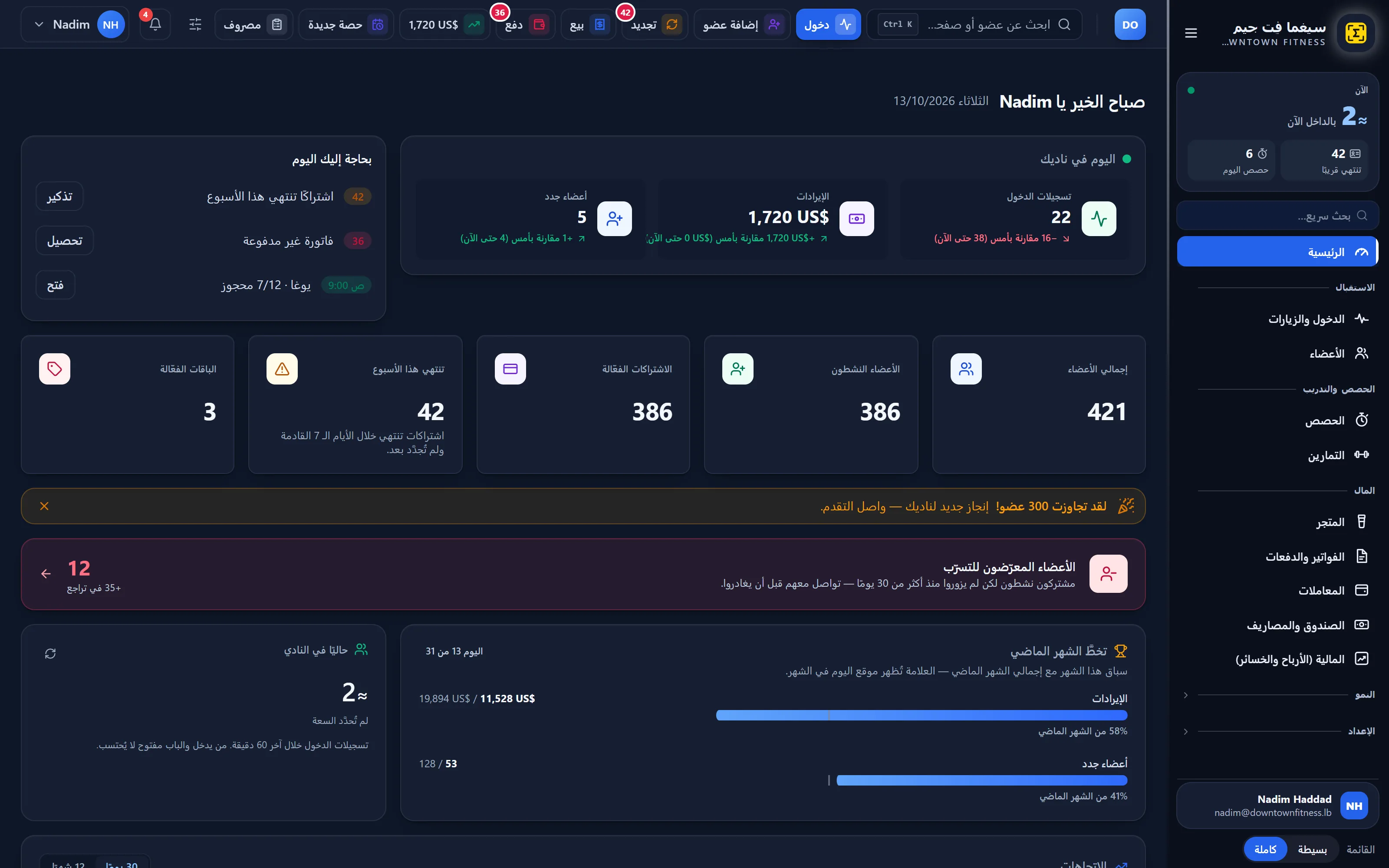
Every screen in both languages.

Switch any time. Arabic is fully right to left, from the menu to the reports.
Two ways to run it

In the cloud, or on your own computer.

Cloud

  • We host it. Log in from any computer, anywhere.
  • Daily backup included.
  • Works with the owner app, the member app and the kiosk tablet.

On your own computer

  • Installed on your gym’s Windows computer. Your data stays in the gym.
  • Setup and training on site, with a guided installer and setup wizard.
  • SMS still go out through our cloud. Updates install from inside the software.

No kiosk tablet, owner app or member app. The public gym page, class booking and workout links are an add-on.

Ask us about on-premise

Pricing

Start free. Grow when you’re ready.

Free plan

$0no time limit

  • 1 branch, up to 10 members, 1 staff login
  • Check-in, membership plans, subscriptions and invoicing
  • No messages, phone apps or add-ons

SigmaFit Gym

From $45 a month per branch

Prices for gyms in Lebanon. Your price depends on your branches and the features you add.

  • Members and memberships
  • Payments and installments
  • Cash drawer and daily close
  • Front desk, manual and QR check-in
  • Members at risk
  • Staff and roles
  • Reports, profit and loss
  • Automatic SMS reminders
  • Daily backup
  • English and Arabic

FAQ

Questions gym owners ask.

How much does SigmaFit cost?

There’s a free plan with no time limit. Paid plans start from $45 a month per branch; your price depends on how many branches you have and which features you add. Message us on WhatsApp for your price.

Is there a free plan?

Yes, with no time limit: 1 branch, up to 10 members and 1 staff login, with check-in, membership plans, subscriptions and invoicing. It doesn’t include messages, the phone apps or add-ons.

Do I need to install anything?

Not in the cloud: you log in from a browser on any computer. If you’d rather keep your data in the gym, we install SigmaFit on your own Windows computer and train your staff on site.

Can I import my members from Excel?

Yes. Import your members, membership plans and products from an Excel or CSV file.

Does it work in Arabic?

Yes. Every screen is in English and Arabic, with a full right-to-left layout. The owner app is in both languages too.

Which door readers work with SigmaFit?

ZKTeco and CHIYU fingerprint and face terminals, and NFC and QR readers. A small Bridge box, or your own Windows PC, connects them and the door relay. Door readers are an add-on. Other devices and turnstiles: ask us.
Ready to run your gym the easy way?

Message us on WhatsApp for your price, or start free today.
WhatsApp us Start free